
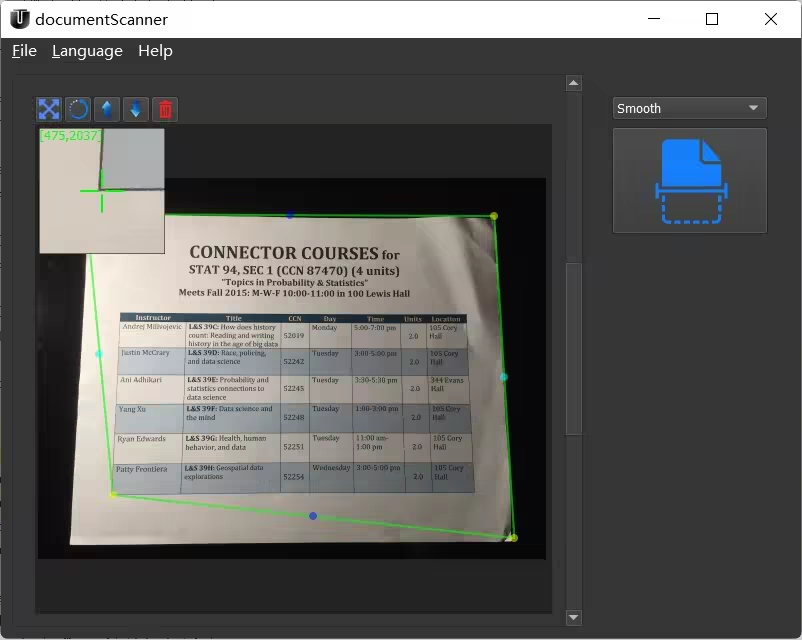
Tuguoba Document Scanner 2.0.0 (x64)
File size: 63.4 MB
The application can convert images | captured by the camera to scanned documents, and export a variety of image formats or PDF files. You can also connect to a printer for output. Support multiple effects processing.
With Document Scanner, users can freely scan any type of documents, and convert receipts, invoices, cards, magazines, etc. into professionally scanned documents. Create your digital products
Windows 10 N system requirement:
Open the Start button > Settings > Apps > Apps & features > Optional features > Add a feature > install Media Feature Pack > Reboot
Features
1. Automatic, high-quality document edge detection and perspective correction.
2. Manually change the scan area.
3. Batch file processing.
4. Manually sort pages.
5. Multiple filtering effects.
6. No watermark output.
7. No data collection.
8. No registration required to access.
9. Easy to operate and easy to manage.
10. Support edit
Whats New
Updates: official site does not provide any info about changes in this version
Please Login or Register to see this code